News
The file manager
Ismael —
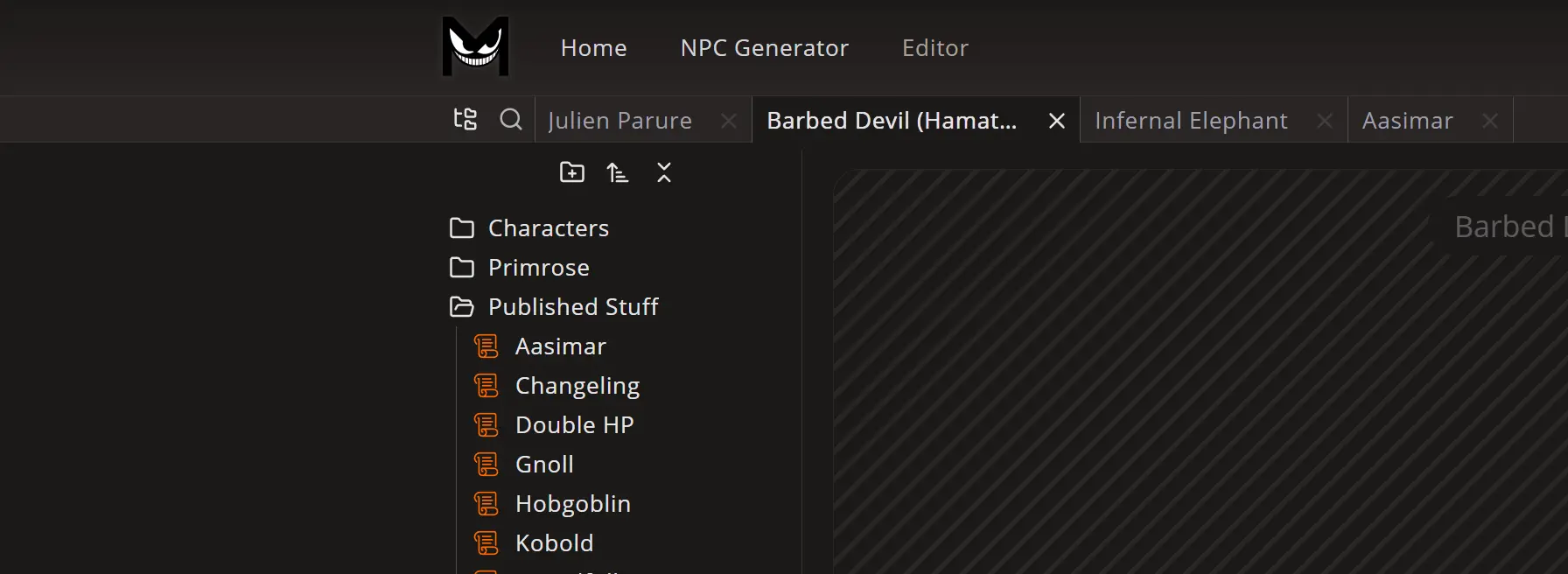
I built a minimum viable version of the file manager. It's exactly how I wanted it, and it's no surprise it looks identical to the one Obsidian.md uses (I even decided to switch back to the Lucide icon library, which seems to be the same one they chose).
There isn't much to say about it, except that it tries to be as simple and functional as possible. We have a right-click context menu (long tap on mobile), where we're going to add many options for monsters in the future. There's drag & drop to move files around (it's still a little quirky on mobile, but it works).
I added tabs to help you switch between files faster. It may not seem that useful right now, since we can only build monsters, but it will make much more sense once we have other content types like notes and note groups. Yes, the idea to one day have a full campaign builder still stands.
You can sign in to the new website and try it yourself. You can't create files yet, and if you see any files, they're just a temporary copy of what I found when I backed up the database of the old website. As always, feedback is super appreciated.
What's next? I'll now focus on a search bar and then... the monster editor (yay!)
-Ismael